Skip to content
NOOLERP

← All features

Stock

Stock that is always exactly right — and a stock count you can do with a phone, while the shop is open.

What is on the shelf, what went where, and what is not moving.

The Nool stock list showing items with quantities, values and low-stock warnings.
01

Five pieces, not a number 5

Other software writes '5 shirts, size 40' and then the number goes wrong. Nool keeps five shirts, each with its own tag, each known from the bill it came in on to the bill it went out on. There is nothing to count and correct.
02

A piece can only be sold once

If two counters scan the same tag, the second one is refused. Nool checks this itself — it does not depend on staff being careful.

03

See your stock and what it is worth

Filter by category, brand, colour or size. See what is on the shelf, what it is worth at cost, what is running low and what has been sitting for months.

04

Where every piece went

Pick any piece and see its whole story: the bill it came in on, the bill it was sold on, the return that brought it back.

05

Count the whole shop with a phone, without closing

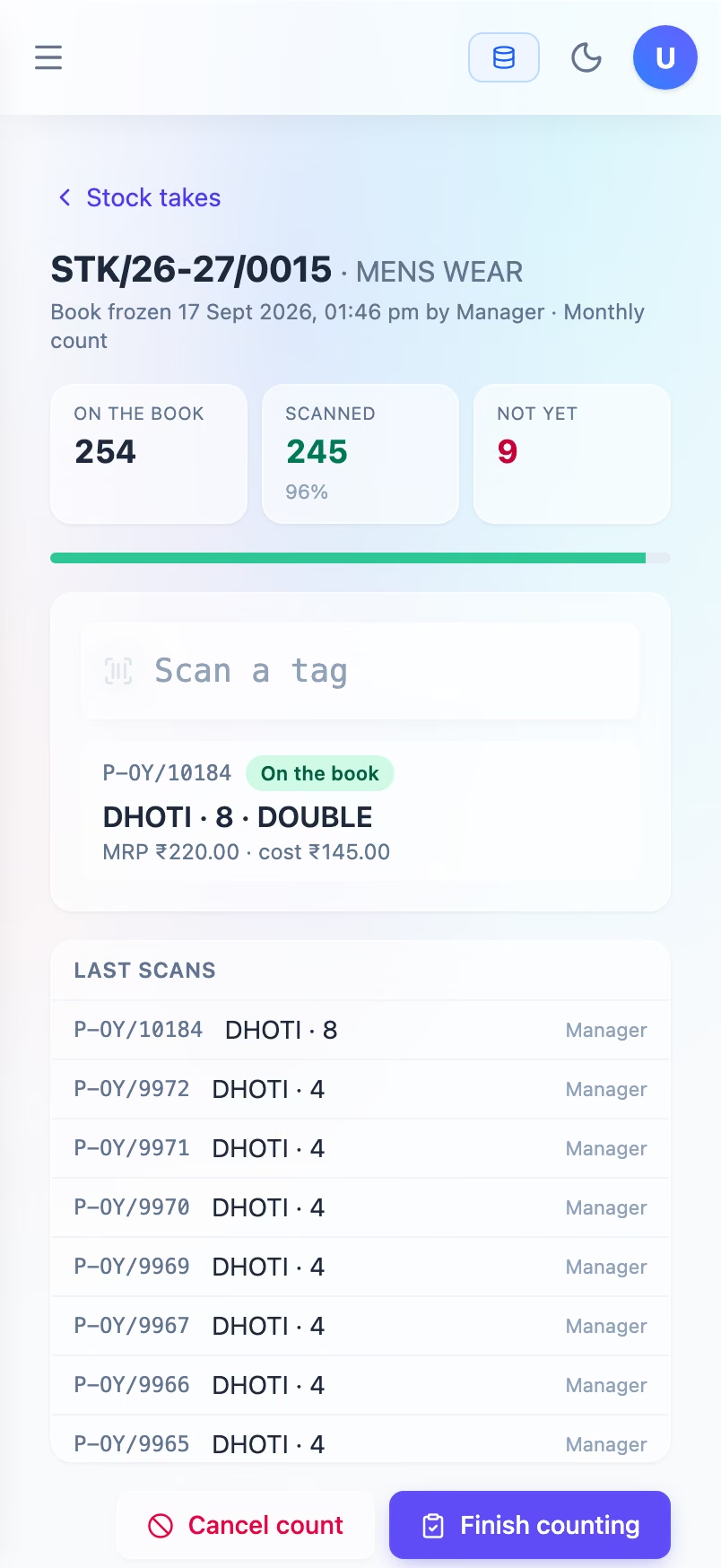
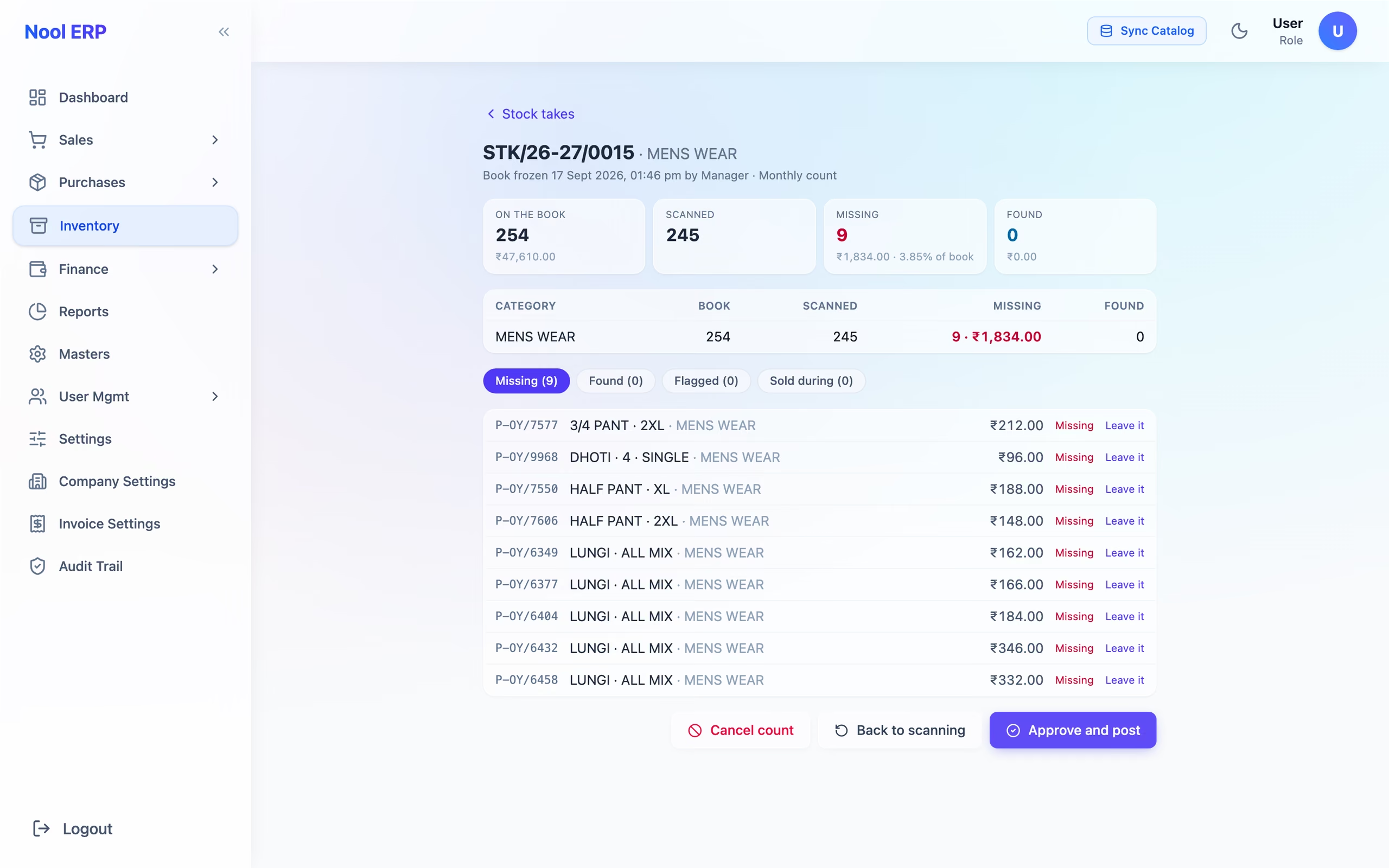
Start a stock count and Nool freezes the list of what should be on the shelf. Your staff walk the racks scanning tags with a phone — the shop keeps selling meanwhile, and a piece sold during the count is not marked missing. At the end you see exactly what is missing and what turned up, and nothing changes in your stock until you approve it.

A stock count on a phone: 278 pieces on the book, 268 scanned, 10 still to find, and the last tag read shown as on the book.
06

What went missing, month by month

A piece that is damaged, lost, given as a sample or written off leaves the shelf only on a numbered note with a reason, approved by you. Every month you can see what you lost, in which category, and at what cost — the figure most shops only guess at.

The count reviewed on a laptop: 10 pieces missing worth ₹1,004, 1.93% of the book, listed one by one with an approve button that has not yet been pressed.
07

Each supplier's month on one page

What of a supplier's goods you had on the 1st, what came in, what sold, what went back to them, and what is still on your shelf — so you know exactly where you stand with them before they call.

Next module

Accounts →

Come and see it work on your own stock.

The quickest way to judge Nool is to watch one piece go from your supplier's bill to a printed tag to a customer's bill. That takes about ten minutes.